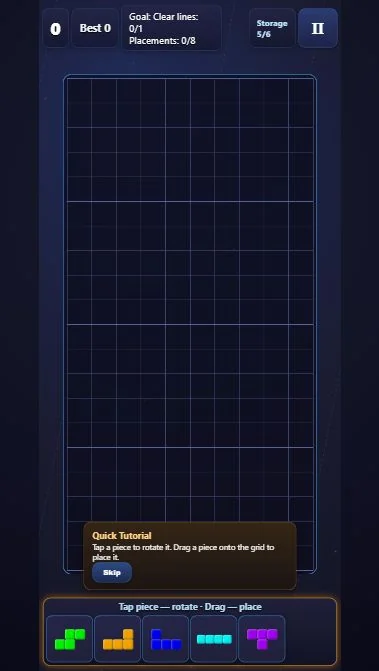
Reverse Blocks is a block placement puzzle without falling pieces. Rotate shapes in Storage, drag them into open spaces and clear full rows or columns before new arrivals fill Storage.
Fit stored shapes together while leaving enough space for timed arrivals.
Choose Campaign, Level 1 and Skip on Quick Tutorial when ready. The checked start has Storage 5/6, Clear lines 0/1 and Placements 0/8. New shapes can arrive while you think.
Before your next move
A tall cyan I belongs at the left edge in this sequence; leaving it horizontal would occupy cells needed by the other shapes.
Turn the T by its visible shape, not a fixed number of clicks after a previous experiment. Its arm must point left and its shaft must fit inside column 10.
Browser edition
Play now opens the browser edition. Google Play opens our Flying Phoenix Android listing; features and progress options can differ.
Features and saved progress can differ between editions.
Questions about Reverse Blocks
Why did the level finish at Placements 5/8?
The required line was cleared within those five placements. The Victory screen explains that fewer placements and larger combos affect stars; reaching eight is not required for this result.
Can I ignore the arrival timer during a campaign puzzle?
No. Additional pieces appeared during this checked sequence. Placing shapes frees Storage, but the timer still matters.
Original ManyPlay game. Controls and examples were checked against the browser edition; cover illustrations are labelled separately from gameplay captures. Report a changed rule or control.