Start here
The menu displays Level 1, Total score and Best. Choose Play. After the countdown, the level view exposes Pause and Platforms broken.
Read the controls, follow the real example and compare the result before trying your own run.
Play COMET →A ManyPlay browser walkthrough · Checked . Screenshots below show the actual game. The catalog image is also a real browser capture. Who publishes these games?
Opening controls example — not a completed level
The menu displays Level 1, Total score and Best. Choose Play. After the countdown, the level view exposes Pause and Platforms broken.
This example compares the actual menu with the Level 1 scene after the countdown. Platforms broken remains zero in the captured frame.
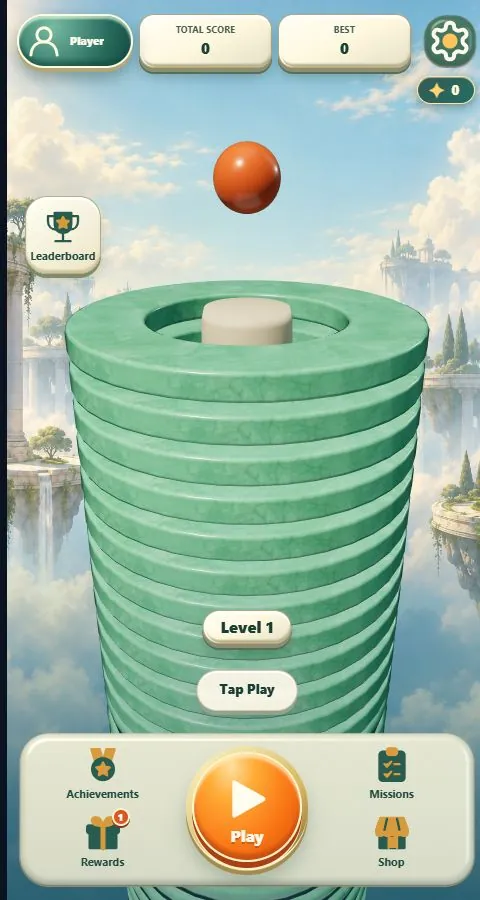
The menu labels the current level and separates Play from Rewards, Missions and Shop. Play opens the countdown.
The level view exposes Pause and its progress indicator. Space activates the drop control; holding and releasing determine when you commit to the descent. The shown opening frame does not depict a broken platform or level win.
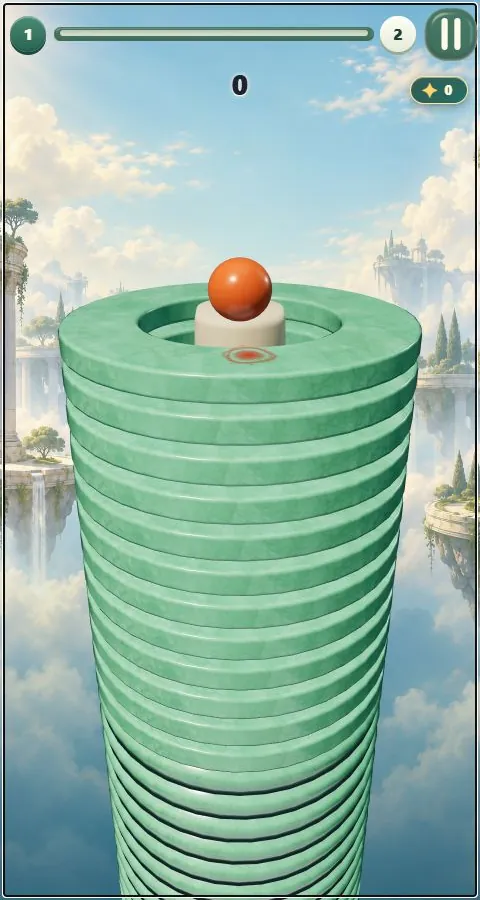
Waiting for the countdown separates the menu from the playable scene. Once it is ready, use the hold-and-release control and watch the progress indicator. Reaching the level scene alone does not finish the tower.
Release the screen, mouse button or Space to stop holding. Use the separate Pause button when you want to pause the run.
Follow the platform progress and the current and next level markers. The guide shows the opening controls; its images do not show a completed tower.
The menu also contains achievements, rewards, missions and a shop. Later challenges include dangerous surfaces and fever mechanics. This guide demonstrates the opening controls, rather than a completed campaign or purchase flow.
Report a changed rule or control The date describes this walkthrough, not a new game release.