Klondike Solitaire Full Screen
Play Klondike Solitaire full screen, free online: press Play and the game opens straight into full-screen mode, so the seven columns and the foundations have as much room as your screen allows. It is the same classic Klondike — Turn 1 or Turn 3, undo, three free hints per deal and Check deal.
Ad-free browser release. Three free hints per deal.
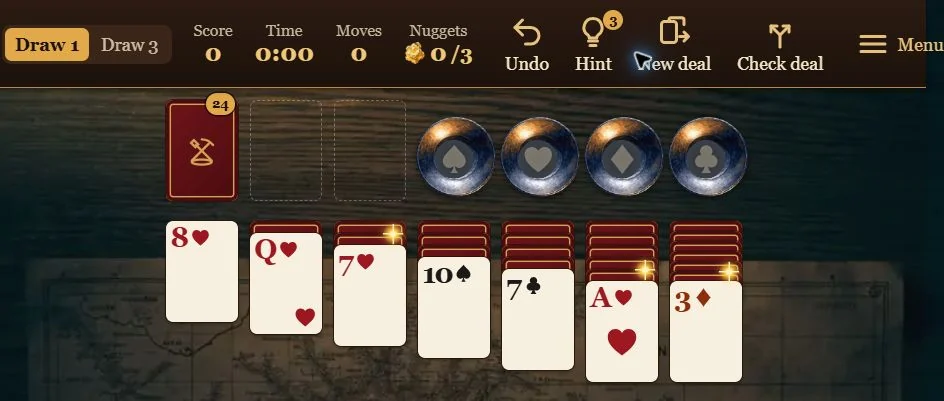
▶ Play full screenKlondike Solitaire at the start of a deal — in full screen it fills your whole screen.
How full screen works
When you press Play on this page, the player asks your browser for full screen. If the browser allows it, the game fills the whole screen; if not, the player expands to fill the browser window instead. Use the ↙ Exit full screen button above the game to return to the page; in browser full screen, Esc works too.
Turn 1 or Turn 3 in full screen
The game starts with Turn 1, where each click on the stock turns over one card. Switch to Turn 3 in the game when you want the traditional three-card challenge; the game asks before replacing an unfinished deal.
Larger cards, easier reading
Full screen klondike solitaire is easier on the eyes on a laptop or tablet. For even larger cards, turn on the large-card setting in the game menu.
Questions about full screen Klondike
Is full screen Klondike Solitaire free?
Yes. Klondike Solitaire is free to play online in full screen, with no download.
How do I leave full screen?
Use the ↙ Exit full screen button above the game. In browser full screen, Esc also works.
Does full screen change my game?
No. Full screen changes only the view; your deal, score and moves stay the same.
ManyPlay publishes this game. AI tools were used during development. The illustrated catalogue cover is separate from the actual game screenshots shown here.